IntersectionObserver 图片懒加载实现
图片懒加载是前端性能优化的核心手段之一。通过延迟加载视口外的图片,可以显著减少首屏请求数量、降低带宽消耗。本文将深入分析一个基于 IntersectionObserver API 的 React 懒加载 Hook 实现,从观察器配置到生命周期管理,逐步拆解每一个设计决策。
核心 API:IntersectionObserver
IntersectionObserver 是浏览器原生提供的交叉观察器 API,用于异步检测目标元素与祖先元素(或视口)的交叉状态。相比传统的 scroll 事件监听方案,它具有更好的性能表现。
传统方案 vs IntersectionObserver
typescript// 传统方案:监听 scroll 事件(性能差) window.addEventListener("scroll", () => { images.forEach(img => { const rect = img.getBoundingClientRect(); if (rect.top < window.innerHeight) { img.src = img.dataset.src; // 频繁触发,需要节流 } }); }); // 现代方案:IntersectionObserver(性能好) const observer = new IntersectionObserver(entries => { entries.forEach(entry => { if (entry.isIntersecting) { const img = entry.target as HTMLImageElement; img.src = img.dataset.src!; observer.unobserve(img); // 异步回调,浏览器优化调度 } }); });
性能对比
| 特性 | scroll 事件方案 | IntersectionObserver |
|---|---|---|
| 触发频率 | 极高,需手动节流 | 浏览器智能调度 |
| 主线程阻塞 | 同步执行,阻塞渲染 | 异步回调,不阻塞 |
| 计算方式 | 手动 getBoundingClientRect | 浏览器内部优化 |
| 代码复杂度 | 需要节流 + 手动计算 | 声明式 API,简洁 |
| 兼容性 | 全兼容 | 现代浏览器均支持 |
观察器配置解析
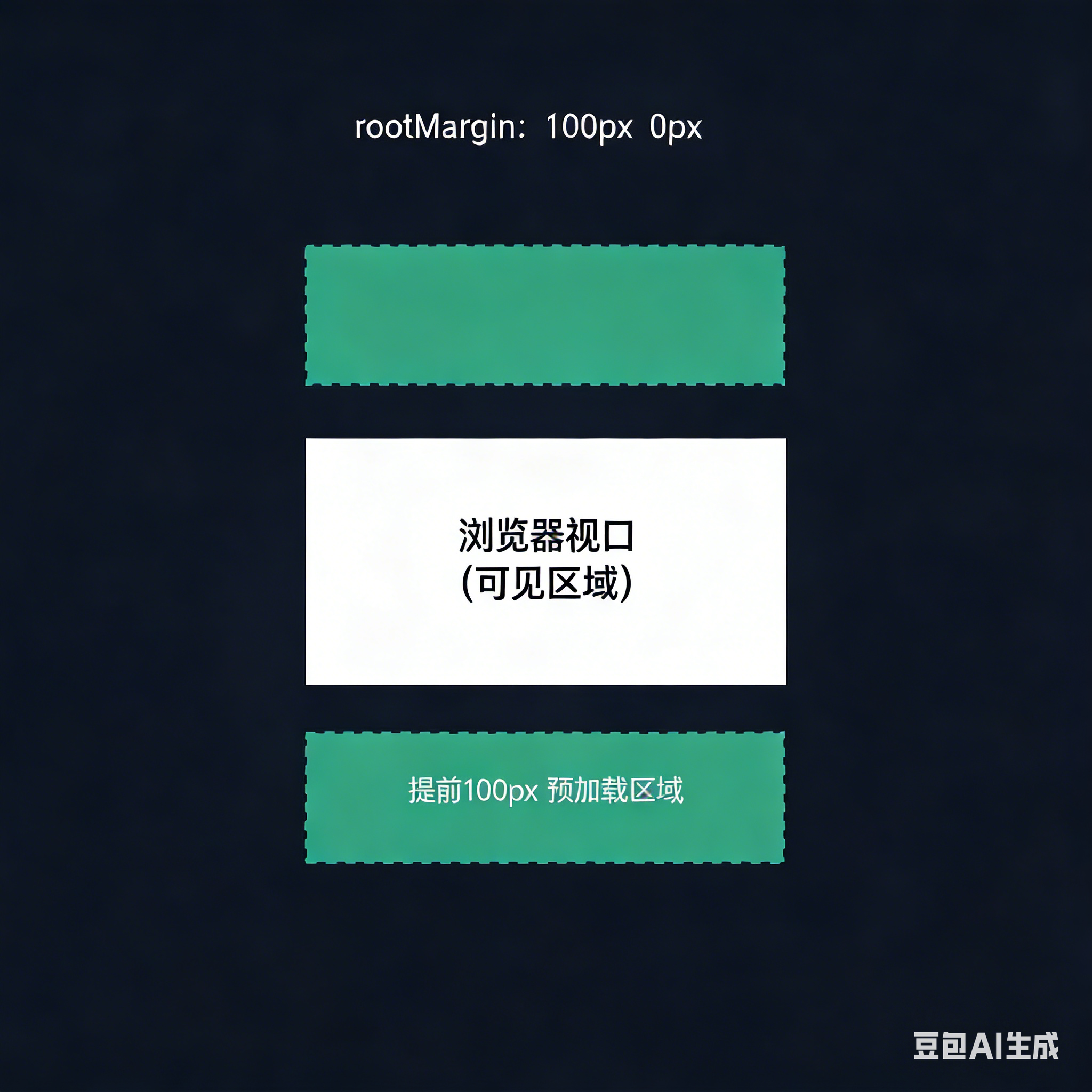
typescriptconst observerOptions: IntersectionObserverInit = { rootMargin: "100px 0px", };
IntersectionObserverInit 完整配置
| 属性 | 类型 | 默认值 | 说明 |
|---|---|---|---|
root | Element | null | null(视口) | 观察的根元素,null 表示浏览器视口 |
rootMargin | string | "0px" | 根元素的外边距,扩展/缩小观察区域 |
threshold | number | number[] | 0 | 触发回调的交叉比例阈值 |
rootMargin 的作用
useLazyLoad Hook 完整实现
核心代码
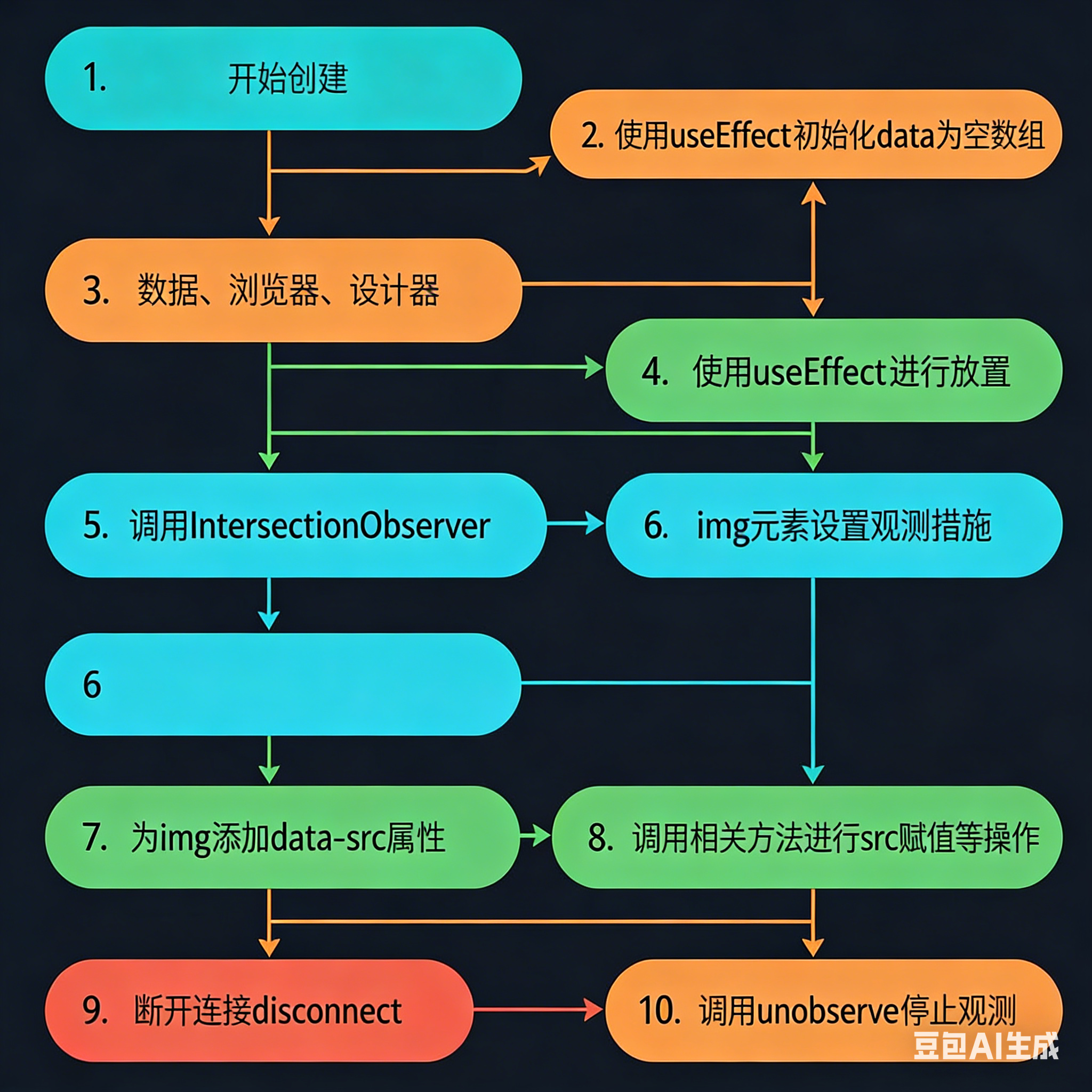
typescript"use client"; import { useRef, RefObject, useEffect } from "react"; // 观察器配置:上下各扩展 100px 预加载区域 const observerOptions: IntersectionObserverInit = { rootMargin: "100px 0px", }; function useLazyLoad(ref: RefObject<HTMLElement | null>, data: any[]) { // 持久化存储观察器实例,跨渲染周期保持引用 const observerRef = useRef<IntersectionObserver | null>(null); // 懒加载回调函数 const lazyLoadCallback: IntersectionObserverCallback = entries => { entries.forEach(entry => { if (entry.isIntersecting) { const img = entry.target as HTMLImageElement; const realSrc = img.getAttribute("data-src"); if (realSrc) { img.src = realSrc; // 设置真实图片地址 img.removeAttribute("data-src"); // 移除 data-src 标记 observerRef.current?.unobserve(img); // 停止监听已加载的图片 } } }); }; const initLazyLoad = () => { // 1. 环境判断:仅客户端执行 if (typeof window === "undefined" || !window.IntersectionObserver) return; // 2. 前置校验:ref 不存在/数据未就绪,直接返回 if (!ref.current || !data || data.length === 0) return; // 3. 销毁旧的观察器(避免重复监听) if (observerRef.current) { observerRef.current.disconnect(); } // 4. 初始化新的观察器 observerRef.current = new IntersectionObserver( lazyLoadCallback, observerOptions ); // 5. 监听容器内所有带 data-src 的图片 const images = ref.current.querySelectorAll("img[data-src]"); images.forEach(img => observerRef.current!.observe(img)); }; // 核心:监听 ref + 异步数据 的变化,数据就绪后初始化懒加载 useEffect(() => { initLazyLoad(); return () => { if (observerRef.current) { observerRef.current.disconnect(); observerRef.current = null; } }; }, [ref, data]); }
执行流程图
关键设计点详解
1. data-src 占位模式
typescript// JSX 中:使用 data-src 存储真实地址,不设置 src <img data-src={`https://picsum.photos/200/${180 + index}`} alt="懒加载图片" style={{ width: "200px", height: "200px" }} />; // 回调中:进入视口时替换为真实地址 const realSrc = img.getAttribute("data-src"); if (realSrc) { img.src = realSrc; // 触发浏览器加载图片 img.removeAttribute("data-src"); // 清除标记,避免重复加载 observerRef.current?.unobserve(img); // 取消监听,释放资源 }
| 步骤 | 操作 | 目的 |
|---|---|---|
| 初始 | data-src="url", 无 src | 阻止浏览器自动请求图片 |
| 进入视口 | img.src = realSrc | 触发浏览器开始加载图片 |
| 清除标记 | removeAttribute("data-src") | 防止重复触发加载 |
| 取消监听 | unobserve(img) | 释放观察器资源 |
2. 异步数据驱动的初始化时机
typescriptuseEffect(() => { initLazyLoad(); return () => { /* cleanup */ }; }, [ref, data]); // 依赖 ref 和 data
为什么要将 data 作为依赖项?
时间线:
  0ms    → 组件挂载,data = [],DOM 中无 <img> 元素
  1000ms → 异步数据返回,data = [1...100],DOM 渲染 100 个 <img>
如果不监听 data,观察器只会在组件挂载时初始化(此时 DOM 中没有图片),导致懒加载永远不会生效。
3. 观察器生命周期管理
typescriptconst observerRef = useRef<IntersectionObserver | null>(null); const initLazyLoad = () => { // 销毁旧的观察器(避免重复监听) if (observerRef.current) { observerRef.current.disconnect(); } // 创建新的观察器 observerRef.current = new IntersectionObserver( lazyLoadCallback, observerOptions ); // ... }; // useEffect cleanup return () => { if (observerRef.current) { observerRef.current.disconnect(); // 断开所有监听 observerRef.current = null; // 释放引用 } };
| 生命周期阶段 | 操作 | 目的 |
|---|---|---|
| data 变化时 | disconnect() 旧观察器 | 避免重复监听同一元素 |
| 重新初始化 | 创建新 IntersectionObserver | 监听新渲染的图片 |
| 组件卸载时 | disconnect() + 置 null | 防止内存泄漏 |
4. 环境兼容性处理
typescript// SSR 安全检查 if (typeof window === "undefined" || !window.IntersectionObserver) return;
typeof window === 'undefined':防止 Node.js 服务端渲染时报错!window.IntersectionObserver:兼容不支持该 API 的旧浏览器
使用示例
基础用法
typescriptexport default function ImageGallery() { const containerRef = useRef<HTMLDivElement>(null); const [images, setImages] = useState<string[]>([]); // 自定义 Hook:传入容器 ref 和数据 useLazyLoad(containerRef, images); useEffect(() => { // 模拟异步加载图片列表 fetchImages().then(setImages); }, []); return ( <div ref={containerRef}> {images.map((url, index) => ( <img key={index} data-src={url} // 真实地址存储在 data-src alt={`图片 ${index + 1}`} style={{ width: "200px", height: "200px" }} /> ))} </div> ); }
完整 Demo 组件
typescript"use client"; import { useRef, useEffect, useState } from "react"; export default function Test() { const container = useRef<HTMLDivElement>(null); const containerRef = useRef<HTMLDivElement>(null); const [options, setOptions] = useState<Array<number | string>>([]); useLazyLoad(containerRef, options); useEffect(() => { // 模拟 1 秒后异步加载 100 条数据 new Promise(resolve => { setTimeout(() => { setOptions( Array(100) .fill("") .map((_, i) => i + 1) ); resolve(true); }, 1000); }); }, []); return ( <div ref={containerRef} className="flex justify-center pt-8"> <div className="grid gap-1 items-center"> {options.map((item, index) => ( <img data-src={`https://picsum.photos/200/${180 + index}`} alt="懒加载图片" style={{ width: "200px", height: "200px" }} key={index} /> ))} </div> </div> ); }
优化建议
1. 添加加载占位符
typescript// 使用 CSS 占位,避免图片加载时的布局抖动 <img data-src={url} alt="图片" className="bg-gray-200 animate-pulse" // 骨架屏效果 style={{ width: "200px", height: "200px" }} />
2. 添加加载失败处理
typescriptconst lazyLoadCallback: IntersectionObserverCallback = entries => { entries.forEach(entry => { if (entry.isIntersecting) { const img = entry.target as HTMLImageElement; const realSrc = img.getAttribute("data-src"); if (realSrc) { // 加载失败处理 img.onerror = () => { img.src = "/fallback-image.png"; // 兜底图片 }; img.src = realSrc; img.removeAttribute("data-src"); observerRef.current?.unobserve(img); } } }); };
3. 支持自定义 rootMargin
typescriptfunction useLazyLoad( ref: RefObject<HTMLElement | null>, data: any[], rootMargin: string = "100px 0px" // 允许自定义预加载距离 ) { // ... observerRef.current = new IntersectionObserver(lazyLoadCallback, { rootMargin, }); } // 使用:更大的预加载区域 useLazyLoad(containerRef, images, "300px 0px");
4. 考虑原生 loading="lazy"
typescript// 现代浏览器已原生支持懒加载 <img src={url} loading="lazy" alt="图片" /> // 但自定义实现的优势: // 1. 更精细的控制(自定义 rootMargin、回调逻辑) // 2. 配合异步数据加载 // 3. 统一的加载状态管理
常见面试题
1. 为什么用 IntersectionObserver 而不是 scroll 事件?
scroll 事件触发频率极高(每帧都可能触发),即使加了节流也需要频繁调用 getBoundingClientRect(),会触发浏览器重排。IntersectionObserver 是浏览器原生优化的异步 API,在独立线程中计算交叉状态,不阻塞主线程。
2. 为什么要在 useEffect 的 cleanup 中 disconnect?
如果组件卸载时不断开观察器,观察器仍会持有对已卸载 DOM 元素的引用,导致内存泄漏。disconnect() 会停止所有监听并释放内部资源。
3. data-src 方案有什么局限性?
- 需要手动管理
data-src和src的切换 - 不设置
src的图片没有原生的加载/错误事件 - SEO 不友好(搜索引擎爬虫可能看不到真实图片地址)
- 不适用于 CSS 背景图
4. 如何处理动态新增的图片?
当前实现依赖 data 变化重新初始化观察器。如果图片是通过其他方式动态添加的(如无限滚动),可以使用 MutationObserver 监听 DOM 变化,自动为新增图片注册观察。
总结
"基于 IntersectionObserver 的图片懒加载是现代前端性能优化的标准方案。将其封装为 React Hook,可以实现声明式的懒加载能力,同时保持良好的可复用性。
实现懒加载 Hook 的核心要点:
- data-src 占位模式 - 阻止浏览器自动加载,按需触发
- 异步数据驱动 - 将数据作为 useEffect 依赖,确保 DOM 就绪后初始化
- 观察器生命周期 - 数据变化时重建,组件卸载时销毁,防止内存泄漏
- 预加载策略 - 通过 rootMargin 提前加载即将进入视口的图片
在实际项目中,建议优先考虑浏览器原生 loading="lazy" 属性,只有在需要更精细控制(自定义预加载距离、配合异步数据、统一加载状态)时才使用自定义 IntersectionObserver 方案。